



This post contains some affiliate links, which means that if you click on one of the product links, I’ll could receive commission.
For a while now I’ve really been missing getting together with crafty friends and had been wanting start up again. My thoughts were that I could host it in my new craft room but alas that is much to messy still and I couldn’t really fit many friends in there. So I put the idea on the back burner and let life move forward. My sister introduced me a few months ago to Bible Journaling. When I checked out the photos of what people are doing I was so impressed and knew that is exactly what I had been wanting to do. It turns out in the 3 fellowships in our branch there were some other believing ladies who were interested in the whole bible journaling idea and were interested in getting together. So far our group has met twice and and have been so inspired and have done a few entries outside of our meetups. We are meeting at a local coffee shop here in Duluth called Espresso Theory I really love getting out of the house and meeting new people and being in an environment that is easy to spread out and work on our works of heART.


Here are some of my pages I’ve done, along with pictures of others in our groups pages.
I thought I’d put together a little bit of a list of what we’ve been using and how one might need to get started, as well as links to resources available online.
I’m not an Artist? Can I do this?
YES!!! Yes you absolutely can. First off I am also far from an “artist” but I have found out some ways to get away around that.First is TRACING!!

Since there was nothing on the other side of my page I was able to just stick my printed lettering and patterns under my page where the blank is and trace it using my markers i bought. (Linda traced an image right off her phone!!! like a portable light box). I am going to try and use my Ipad to trace off of next time. A cool thing about my print out is that mom was able to trace it to her page next, so bonus of multiple uses!! You could also print off images from the internet or use coloring books or other art books to trace from.
Another option is STICKERS!
I’ve actually designed a couple layouts that fit in the margins and printed them out on sticker paper then cut them out to fit right in my bible. My comfort zone is definitely on the computer designing and this lets me incorporate that into my bible journaling.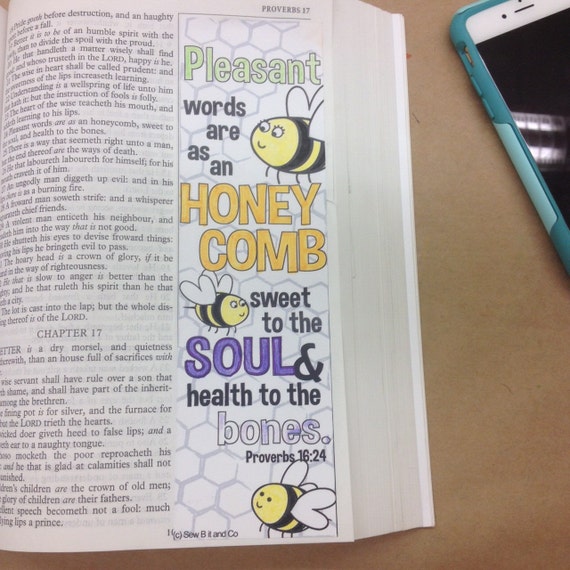
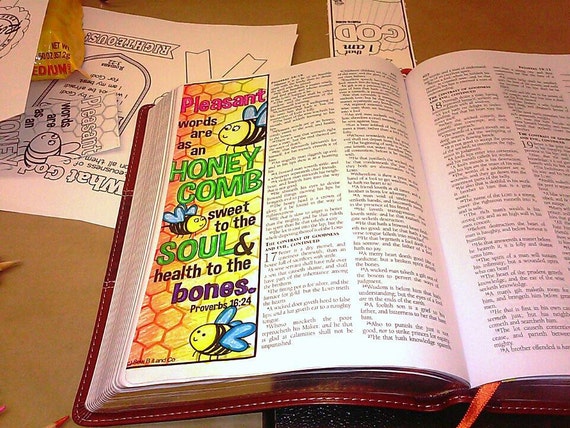
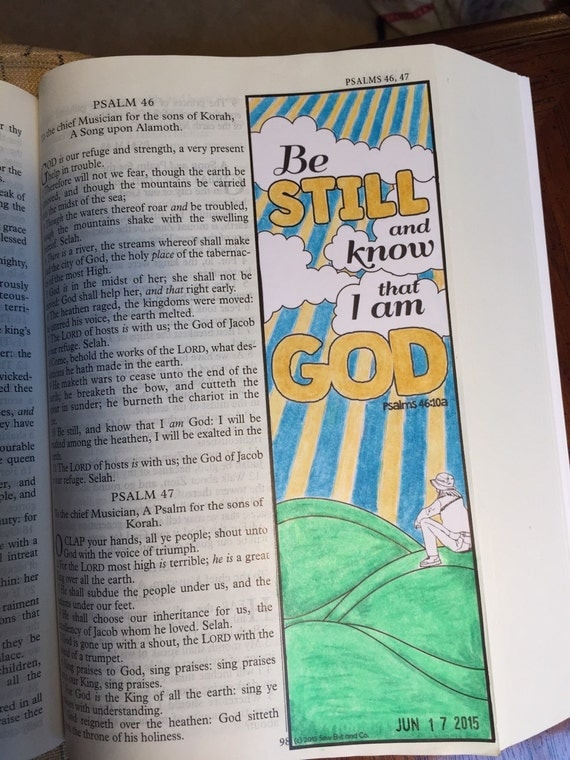


I have some of these designs available in my etsy shop right now.
Freehand
If you are an artist, doodler, enjoy creative lettering you can easily take all the mediums and methods you currently do your art in and apply them to your bible. There are some amazing artists out there doing lots of great work free hand. My friends Beth & Fran do amazing freehand work.


Mixed Media
In this page I did I used a bunch of different media. Washi tape, cardstock, clear paper, and markers. For me I still like to be able to read all the text in my bible so for the flowers and the clouds I actually doodled and colored on white cardstock and then glued them in at just one point so I could bend them back or to the side and read the text. I also allowed parts of it to go outside the page kind of like a tab when my bible is closed. You could easily add layers of ephemera, stamps, stickers, tapes, paints etc on one page really layering the look. Again there are many examples of mixed media styled pages when you do an image search of bible journaling.
Bible
You can use any bible you might have on hand or you could invest a little bit of money (approx $10+). A bible with a super wide outside margin works really well for bible journaling, especially if you don’t want to cover up any text with your art. When looking, you might find them called Note Taker or Journal Bibles.My Recommendations:
The bible that checked all the items on my list is: the Mid Size Note Taker Black Vinyl by Local Church Bible Publishers. I really like the 2.5” side margins as well as the large print. It does make for a thicker bible but that works just fine for me. I also love that it is KJV (my preferred version) as well as the price point as a group we ordered a case and with shipping it worked out to be about $13/bible

Things you might want to keep in mind:
The bigger the margins, either the text gets smaller or the bible gets larger.
Paper thickness, thinner papers more bleed through or ghosting.
Do you want to be able to read and use the bible regularly
Art Supplies
Much of what you already have will work in your bible. People are using colored pencils, paints, markers, stamps, watercolors, washi tape, and more.My Recommendations:
Here are some product either I have used or friends in my group have/are using:


Things you might want to keep in mind:
Markers and inks may bleed through but there are page primers that will help block bleed through. Colored pencils of any quality are producing amazing art in bibles.
More Online Resources, Tips, Tutorials and more!
A bunch of people are sharing their processes and tutorials via Youtube. I even have a video of how I use my tool caddy for to store my bible journaling supplies.
Someone also started a group for kids here. I have a bible journaling group on facebook called Bible Journaling Down South you're welcome to join.
If you enjoy searching pinterest for inspiration my sister and I have a great pinterest board:

Well the Scrap the Map laptop crop last Saturday really got me inspired to scrap again. I’m wanting to try and schedule some scrapping time. We’ll see how that works out! I did find some amazing tutorials on digital scrapbooking with Picasa. I completed this layout in a couple minutes using the free google software.
Credits: Scrapbook Page completed using Google Picasa!! Credits: Celebrate Life Kit by Cinzia Designs (http://www.mscraps.com/shop/manufacturers.php?manufacturerid=47) Rhino Dino Font (http://www.kevinandamanda.com/fonts/freescrapbookfonts/)

This is our little girl at one month old. It’s hard to believe she’s already been with us for 5 weeks! We love her to pieces!
Well it has been a while since I’ve scrapbooked. I’m starting to get the itch and want to work time into my schedule to start the little girl’s baby book. So when I heard Scrap the Map had finally come to Georgia I was super excited!! I registered right away. I’m even bringing the baby along.
This laptop crop is being hosted on a house boat! How cool it that?

To all my nearby friends I wanted to invite you to come along with me to this Laptop Crop on March 12th. Even if you have never digitally scrapbooked before no worries, I’d be happy to show you.
Happy Scrapping!!
Have you started thinking about holiday cards? It’s been on my mind for a few weeks now. I absolutely love receiving holiday cards in the mail and what makes some more special than others is getting to see the smiling faces of my friends and family with a photo. I always enjoy sending just the right photo with my holiday cards. We have an upcoming photo session and I know the photographer will capture this year’s perfect holiday photo.
I put a lot of thought and planning into the holiday photo and just as much into finding the exact right card to showcase the photo. My favorite kind of holiday card is a flat design with a photo on the front, I feel that it is perfect for posting on the refrigerator, bulletin board, and sometimes framing. My goal with including a photo on my holiday card is that it will stay around a bit longer after the holiday is over.
Recently I saw the quality of Shutterfly’s cards and they were AMAZING, the quality is outstanding! There are so many beautiful Holiday Photo Cards to choose from, I’ve narrowed things down to a few favorites but right now this is the top contender:
![PHOTOCARD-103-278-MERCHLARGE_FRONT-v127568379700089072[1]](https://blogger.googleusercontent.com/img/b/R29vZ2xl/AVvXsEjnHKiC82dDV6GBQeWo4u30RVo-qNeLj_sy42RF3QKywjXzkuTGhSzxYLUsl1ip2AgfKBFxB8eQ9rWTIbMUoXzSaakoJA2xgGaF0wd9E_3f-a7NmCPMJu_Nxhk9PtonCYZ8hJHO5nmrfdkG/?imgmax=800 "PHOTOCARD-103-278-MERCHLARGE_FRONT-v127568379700089072[1]")
[Click image to see details for this card design.]
Go check out their selection from any of the links I shared and let me know what is your favorite design. Oh and when you’re over at Shutterfly checking out the 2010 Holiday Card designs be sure to check out their photo ornaments!!
PSSST….Bloggers get 50 free holiday cards from Shutterfly. Sign up: http://bit.ly/sfly2010
We had fun yesterday with our Shutterfly Houseparty! A bunch of friends couldn’t make it but there is always my family so that worked!

Oh and I get a link to share with everyone for a free 5x7 photobook!
YAY I’m back to scrapping! It sure has been a long time since I’ve been able to sit down and scrap. I’m still without a good spot in the house but I'm getting used to making due with what space I have.

The photo was taken last weekend at the corn maze. We had fun as a family and Grandpa & Grandma B and Aunt Jessie joined us too! I was thankful to get a great shot of the three of us, despite the fact that the kiddo had no interest in stopping his exploring to take a photo.

I also got this 2 page layout completed these photos were taking back in July when we took our trip up to Ohio to see Aunt Becca. Us girls make a detour stop at Goats on the Roof in N. Georgia that was FUN!!
I can’t make any promises but I’m excited to have accomplished 3 pages in one day! We’ll see how many more I can accomplish before our baby girl arrives.
Yesterday the Down South Scrappers had another laptop crop. We had a great time chatting and sharing tips, techniques, and our scrapbook layouts. As always the day was much too short and I can't wait to do it all again sometime soon!

DSP’s birthday week kicks off tomorrow with the traditional 24 hour chat!!!! The week then moves into lots of chatter, challenges, fun and of course SCRAPPING!!!
Yay I get to hand out three free kit coupons to 3 of you lucky readers, thanks so much for making this a fun give away.
Okay so even if you don’t win you’ll definitely want to hop on over to the store and check out the over 10,000 digital scrapbook supplies!
Oh and if you are going to play along be sure to check out the birthday forum (goes live at midnight tonight) I have a Super Six Photo Sketch Challenge that will be running all week.
Okay Okay I know you really want to see if you won so without further ado here are the winners!!!!!!
bludlfn003 aka Amanda (bludlfn003@)
SilvaHeala (silverhealer21@)
Shana34 (sayoung79@)
YAY for the winners!!!! See you all in the forums this week!!!!!
This is my busiest time of year at my day job so I’ve been busy working hard and getting my deadlines checked off.
In spite of the busy-ness I’ve gotten a few more scrapbook pages done. I’m also working on a really pretty wedding invitation that I’m in love with right now. I can’t wait to show you.
Title: Rain Boots
This layout was completed for a new chat/challenge with Marcee Duggar Designs. She is one of my ALL TIME FAVORITE digi designers. Her kits just inspire me! Hey if you like my polk-a-dot rain overlay you can download it here for FREE!

Title: Love You
This layout is done using another one of Marcee Duggar’s Page Kits. I did this one for the family as a valentine’s day layout.

Title: Enjoying the View
This layout is the first layout I’ve completed for my NYC album. I’m having trouble getting inspired to work with the photos so if you have any kit suggestions let me know.

Have you done any scrapbooking lately????

Being down to a one income household my family and I are always looking for ways to save money. One of the first areas to be cut was our entertainment budget inside that category was my hobbies. So I have to look for ways to scrap for free or nearly free. I wanted to share with you a few things that I do to save money when it comes to my digital scrapbooking.
1. Use, Re-use, and Use it Again…(and Again)
Make the kits you have go further. That's one of the fantastic things about digital scrapbook kits is that they can be used an endless number of times.
2. Sale Items & Freebies!
This is the best deal I've heard of in a long while at my favorite digital scrapbooking site, they offer a weekly freebie with a purchase in the store. They also offer an Item of the Week at only 99 cents! So if you were to just purchase the 99 cent item each week and getting the new freebie. You'd be getting 2 digital scrapbook items for .50 each!! That is just an incredible steal!!!
There are lots of freebies available on the web just Google free digital scrapbook kits and you'll find a ton of sites offering freebies of all kinds and themes, etc. I must mention that the quality of graphics offered for free are not always the greatest. Be aware of what you're downloading and where it is coming from. Keep your anti virus software up-to-date.
Also when you start downloading digital scrapbook freebies from all over the web you will find that each designer packages things differently. Be prepared to spend a little extra time organizing. The little bit of extra work and effort is worth it when you can find some high quality digital scrapbook freebies.
My favorite Font sites are: dafont.com (freebies) | DSP Font Collection | LetteringDelights
3. Sign up for Mailing Lists, Blogs, Sties and become Facebook Fans too!
Many designers and digital scrapbook stores have blogs and newsletters. Sign up and subscribe to these as often there are freebies only subscribers can receive. Digital Scrapbook Place has a tremendous monthly newsletter that has 2 freebies in it each month. Also DSP designers have their own blogs where they will often offer up freebies! The new big thing is to be a fan on Facebook. It certainly is worth doing all of the above to maximize the opportunity to snag great freebies when they are offered.
Sometimes just for signing up at a digital scrapbooking site you get access to whole galleries full of freebies with out any purchase!
Here are some of the blogs I subscribe to that offer freebies on a pretty regular basis: Tina Chambers | Bethany (wordart)| Nicole Young | Lindsay Jane (templates)| Robyn Gough
4. Join in on Challenges, and Contests
Digital Scrapbook designers at DSP run scheduled challenges where if you purchase items and complete layouts with those items you get rewarded with a freebie. Again there is typically a purchase required, and the freebie then offsets a bit of the cost of the initial purchase.
Also at Penscrappers they offer a monthly contest that includes a freebie for contestants to work with to make them eligible to win prizes.
5. Apply for Creative Team Positions
Many of your favorite designers have creative teams. These people usually get free or deeply discounted products when the commit to completing x amount of layouts per month week, etc. Every designer has their own requirements. This is not an option for everyone but perhaps it is for you. You can learn more about DSP's Creative team The Digital Elite Team here.
6. Using Coupons
You know I absolutely love coupons and there are lot sites out there that give you coupon codes and heads up on great deals. One of my favorite is retailmenot.com I love double checking my favorite sites before I place online orders.
Digital Scrapbook Place Coupon Codes | Shutterfly Coupon Codes | Artscow Coupon Codes
7. Value Collections, Mega Kits & CD's
Try to find kits and collections that give you the most bang for your buck. Digital Scrapbooking sites offer value collections, Mega Kits and CDs that work out per item cheaper than purchasing the same items separately. The more that you get of coordinating items the further you can get in scrapbooking a whole album using one Megakit or one Value Collection.
Typically in the one of these items you will get 2 to 10 times as much than you would in a standard digital scrapbook kit.
8. Clubs & Memberships
You can join pre paid digital scrapbooking clubs and member only areas that get you great deals too. Some paid memberships get you access to member only areas of the site where freebies are shared or exclusive coupons. At my favorite digital scrapbooking site you can join Club Digital, each month you get 2 page kits, a plopper/overlay, a template, alpha, word art, a font, and stamps, plus a money saving coupon.
9. Go Offline
Check your Local Retail Stores, Garage Sales, and Consignment Sales.
Recently I've found that the digital scrapbook supplies sold at Hobby Lobby stores have been on clearance. You may find that other craft and hobby stores, even your local scrapbook store carries digital supplies. You can also use their weekly discount coupons to get discounts of 40% or more. Watch for these items to go on clearance or on sale.
Check out office supply stores also I've found some scrapbook printer paper on clearance for $1.00 and have found other digiscrapping goodies on clearance as well. I've also found scrapbook software on clearance at these stores too!
In my area there is scrapbook consignment sale that goes on twice a year. The last couple times I've gone as a shopper and not a seller I've found many digital scrapbook supplies being sold at discount prices. I've also found literature, books, magazines, and how to manuals there as well.
Looking at the local level is going to require a bit more effort and maybe a little bit of luck but it is available to find great deals on digital scrapboook supplies offline
10. Design your own!
If you really want to save money on digital scrapbook supplies you can design your own. There are many classes out there that teach you how to design digital scrapbook elements, kits, etc. You can search you tube for specific techniques you want to learn, and check out sites that offer free scrapbooking tutorials.
The online learning sites I prefer are: Digital Scrapbook U | Eclectic Academy
I finished the Mountain Trip Album last week and ordered it using some gift cards I had for Shutterfly. I’m loving how it turned out!

As always it is just amazing to see the digital scrapbooking products in print they just pop off the page!

Here are some thumbnails of all the layouts together.

I’m very glad to have finally accomplished another printed album. I think the last one I completed with my dad’s birthday album 5 years ago! Next time your over at the house be sure to check it out :D
Wow, I guess I’ve just been inspired lately. I’ve made a few adjustments in my workflow which has helped keep thing I need for this album together and it sure has made things more efficient.
Here are my latest cabin trip layouts:
Smile Parker

CLICK HERE TO SEE THE LAYOUT LARGER
A Family Photowalk HIKE Page 1 & 2

CLICK HERE TO SEE THE LAYOUT LARGER

CLICK HERE TO SEE THE LAYOUT LARGER
All the digital scrapbooking supplies came from my favorite site!